Features
Everything your team needs to show up, track time and get approvals
One app for presence, hours, timesheets, requests and administration, on phone and desktop, in English and French.
Presence
A live board everyone keeps up to date
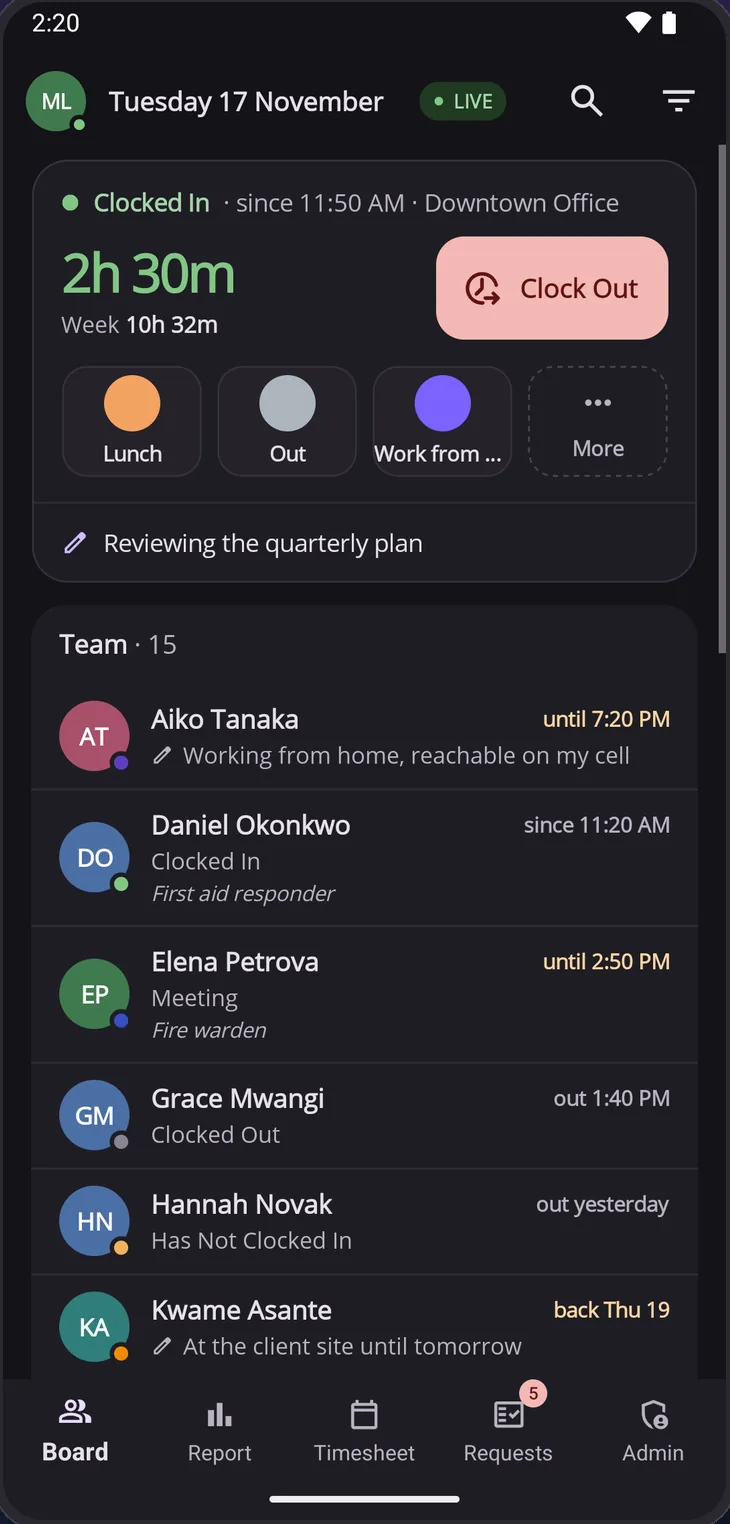
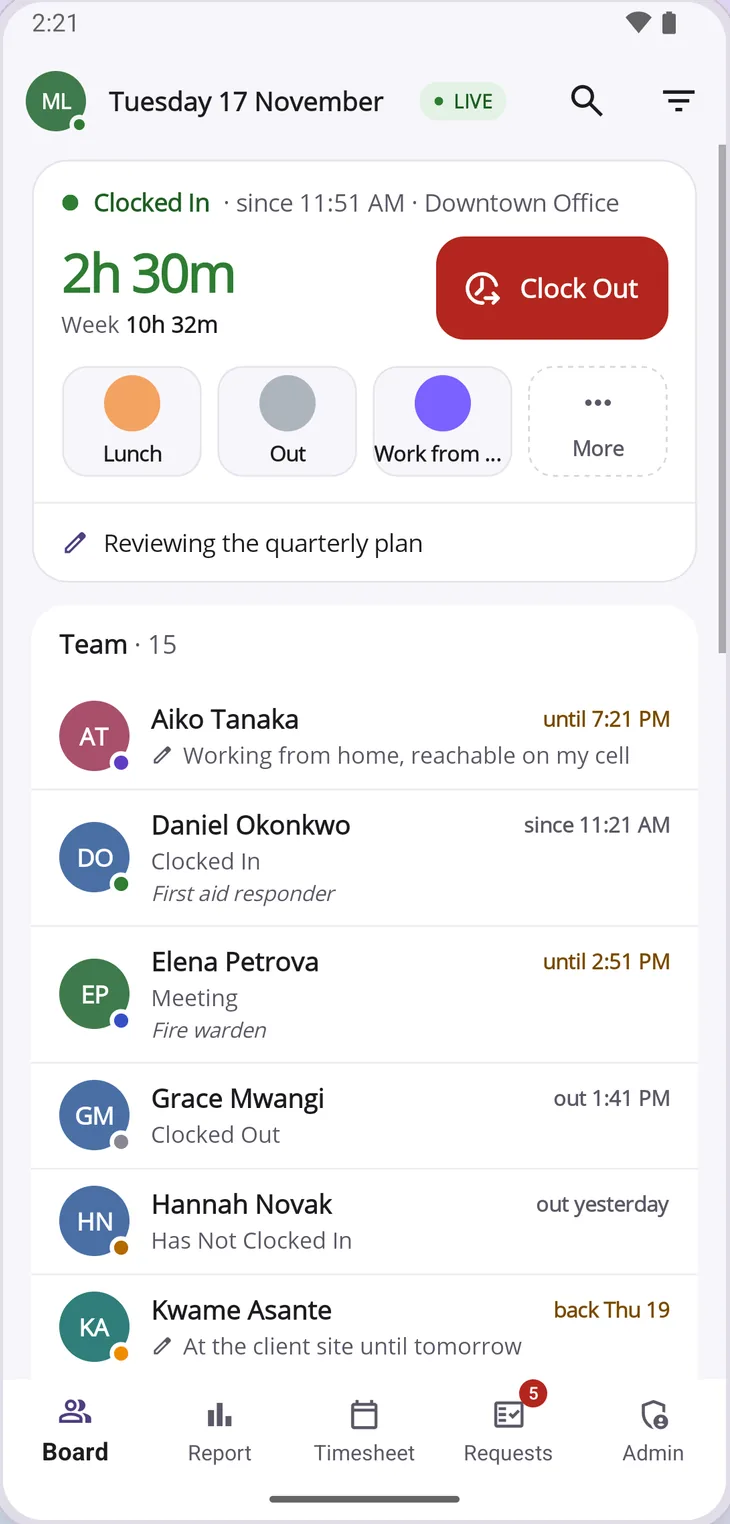
The board shows who is in, out, at lunch, in a meeting, working from home or away, and it stays right because each person updates their own status.
- Live in/out board
- Who is clocked in, in a meeting, at lunch, working from home or out, updated the moment it changes.
- Quick statuses
- One-tap buttons such as Lunch, Out and Work from home, with your own activities under More.
- Notes and return times
- "Reachable on my cell", "until 7:20 PM", "back Thursday": context everyone can see.
- Safety roles
- First aid responders and fire wardens are flagged on the board, so you know who is on site.
- Search and filters
- Find a person in seconds or narrow the board to a group.
- Workspaces and locations
- A board per site or company, plus a view across all of them.
- Professional
Time
Hours that add themselves up
Clock-ins become work sessions, work sessions become daily and weekly totals, and timesheets fill themselves from the punch clock.
- One-tap clock-in
- Clock in and out from a phone or a desktop.
- Work sessions
- Each day's sessions are recalculated automatically, breaks included.
- Work report
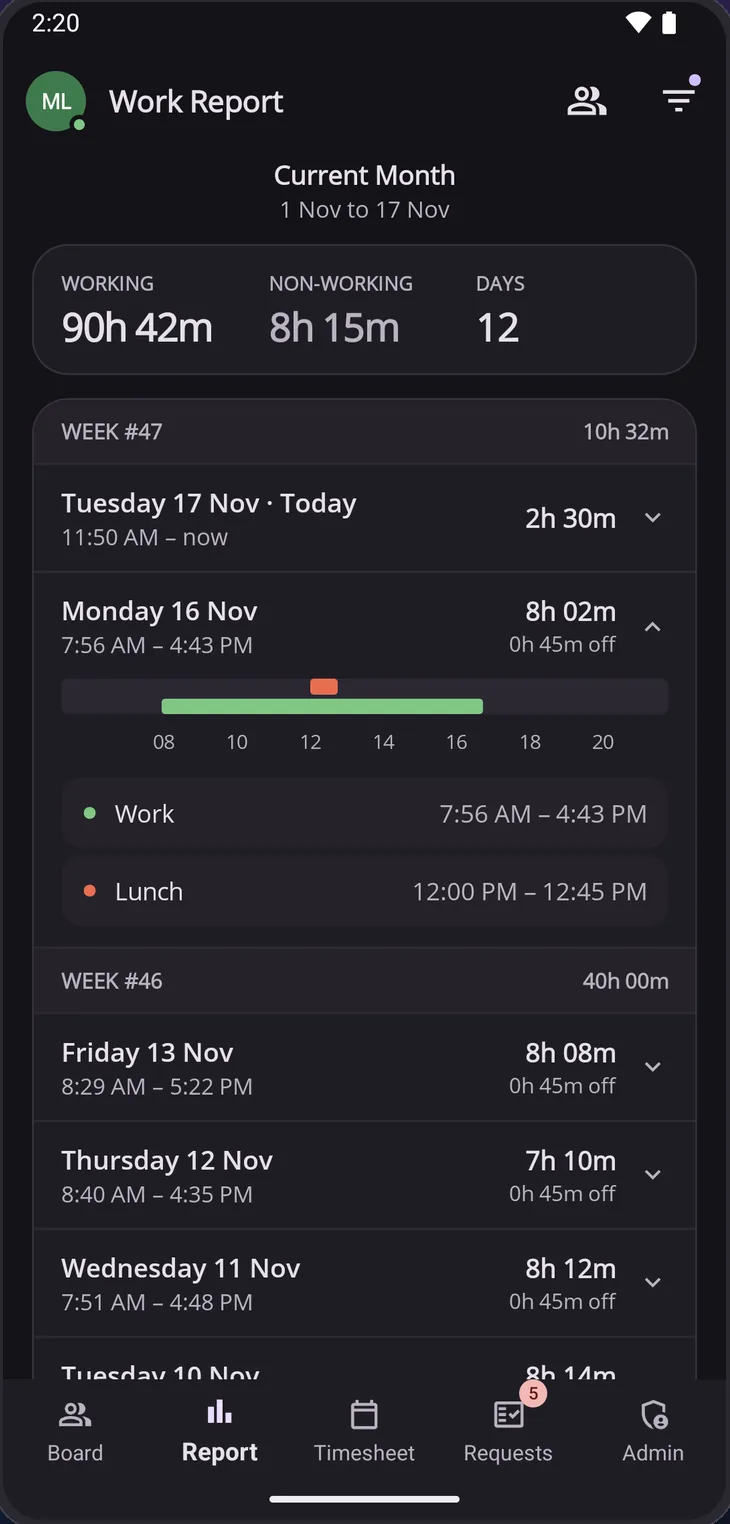
- Working and non-working time, days worked, weekly totals and each day's timeline.
- Project timesheets
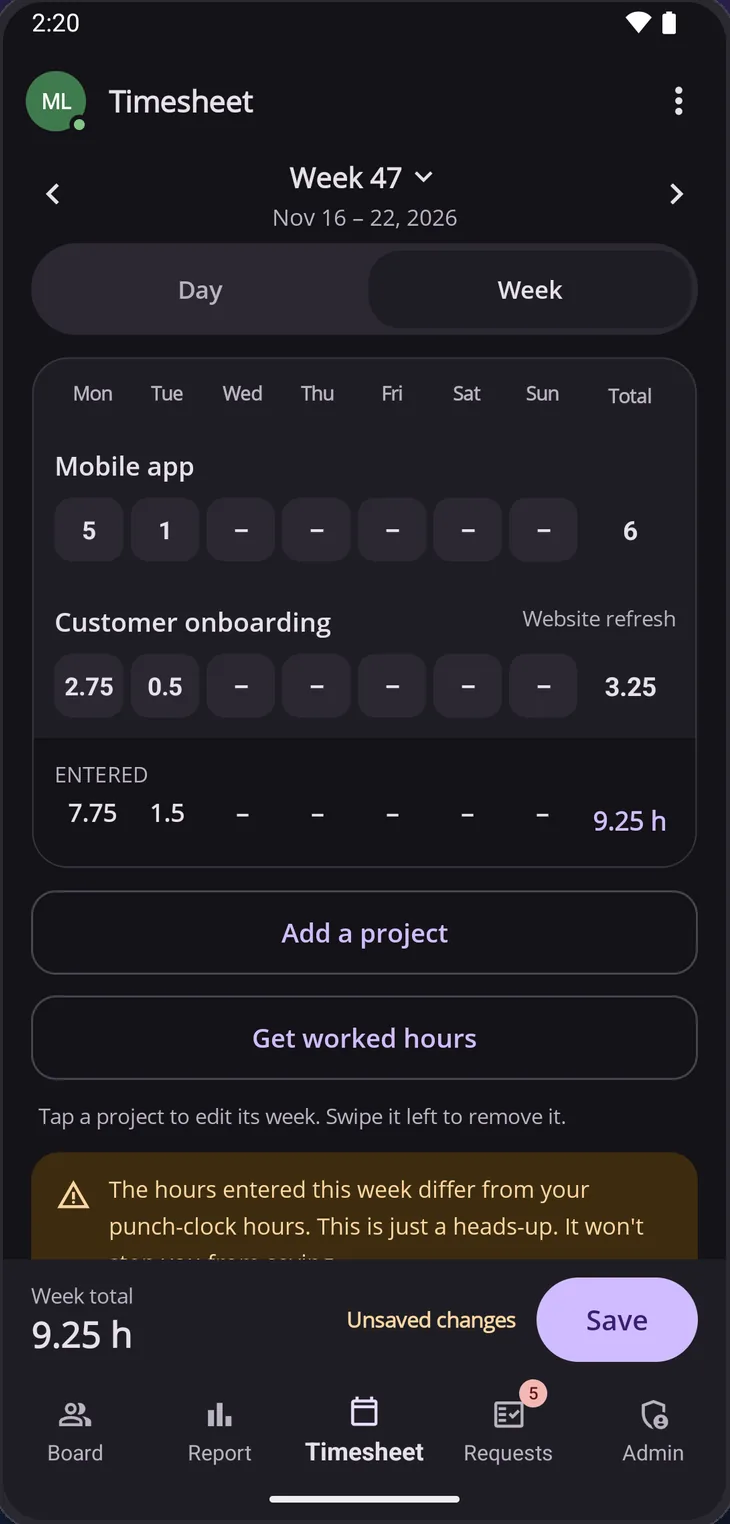
- Log hours to projects by day or by week, or fill the week from punch-clock hours.
- Punch-clock check
- A heads-up when timesheet hours differ from punch-clock hours, without blocking the save.
- Corrections
- Administrators review and correct work sessions when someone forgets to clock out.
Requests
Time off without the email chain
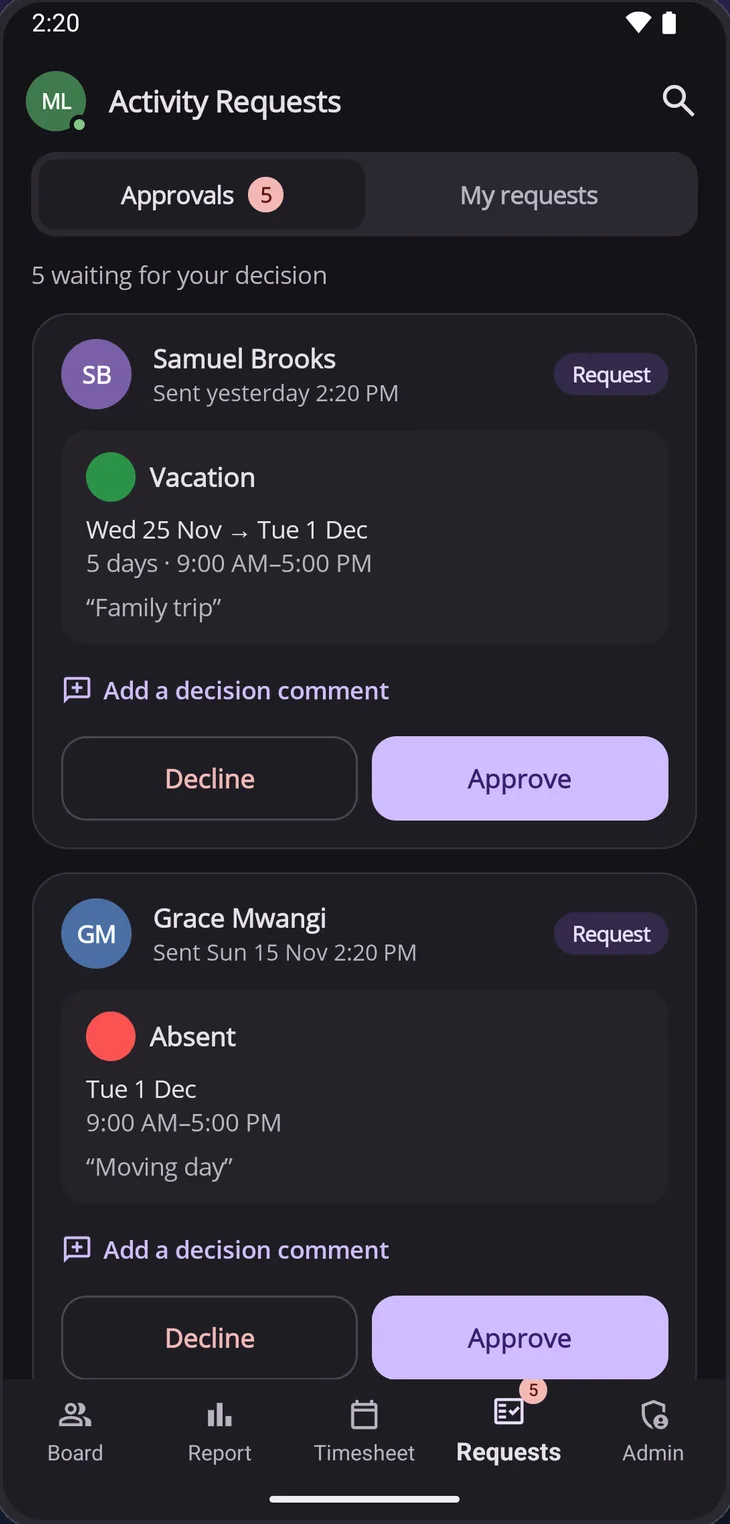
Employees ask, supervisors decide, everyone sees the outcome. Every request keeps its dates, reason and decision comment.
- Activity requests
- Vacation, absence or any activity you define, with dates, duration and a reason.
- Approval queue
- Supervisors see how many requests are waiting and decide in seconds.
- Decision comments
- Approve or decline with a comment the employee sees.
- My requests
- Employees follow the status of everything they asked for.
- Planned activities
- Plan and bulk-create activities ahead of time, with date and time rules.
- Rules and limits
- Limits per activity, so requests follow your policies.
Fully configurable
Activities your team actually does
Start with the built-in activities, then create your own: each with its own name, icon, color and rules, so InOut matches the way your teams really work.
 Clock in
 Clock out
 Lunch
 Meeting
 Travel
 Vacation
 Work from home
Your own
Your own name, icon and color Counts as work time, or not Planned, logged or sent for approval Daily, monthly or yearly limits Individual or group activities One-tap buttons on the board
Administration
Set it up your way
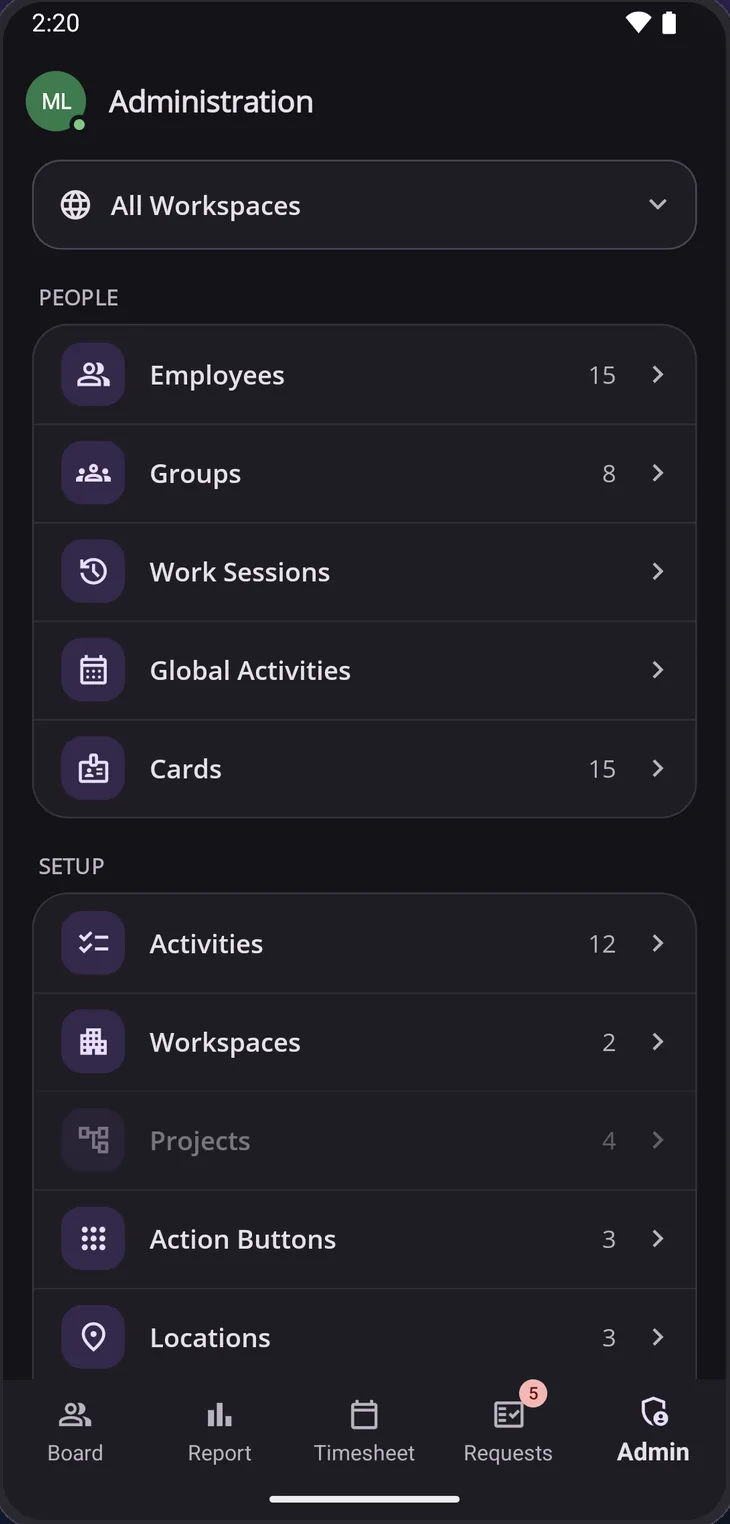
Everything an administrator needs is in the Admin tab, on the phone as well as on the desktop.
- Employees and groups
- Add people, organize them in groups and control who sees whom.
- Workspaces
- One workspace per site, office or company, with a combined view.
- Professional
- Activities and action buttons
- Choose the activities and one-tap buttons each workspace offers.
- Locations
- Record where people work: head office, downtown office, client site.
- Projects
- The projects your team logs hours to in timesheets.
Integrations
Works with what you already use
InOut plugs into Microsoft 365. Everything else connects through its full API.
- Microsoft Entra ID
- Single sign-on with your organization's Microsoft accounts.
- Microsoft Teams
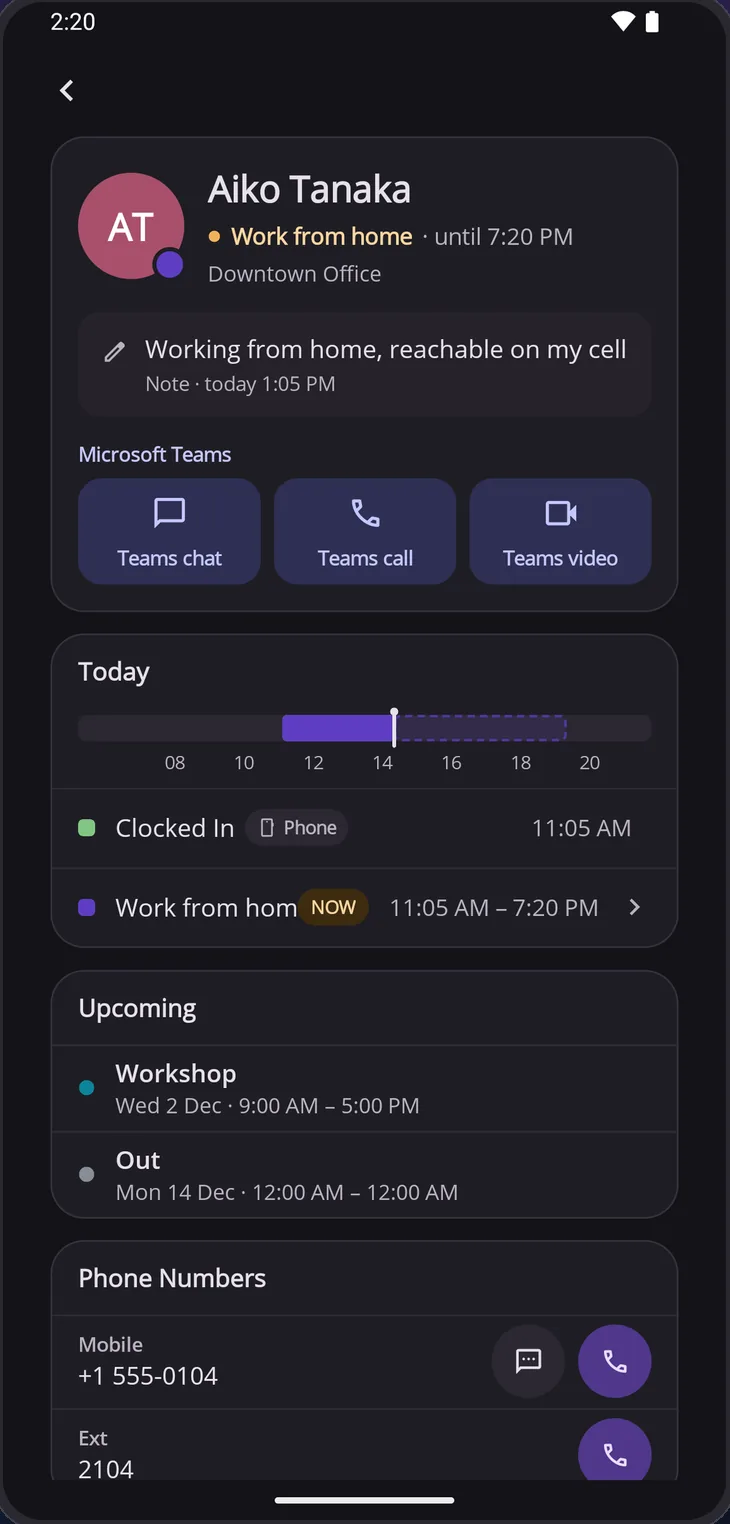
- Chat, call or video a colleague from their profile in one tap.
- Absence synchronization
- Approved absences from another system sync into InOut automatically.
- API access
- Everything in InOut through the API, with secure tokens: automate it your way, connect your systems and your AI agents.
- Professional
Everything in InOut, through the API
Anything you can do in the app, you can do through the API. Connect the systems you already have, build your own tools, automate InOut the way you want and plug in your AI agents.
Connect your existing systems
Send live presence and hours to your payroll, HR, ERP and reporting tools, and bring their data into InOut.
Build your own tools
Build the reports, dashboards and apps your business needs in your own tools, fed with InOut's data through the API.
Automate it your way
Clock-ins, activities, requests, approvals and reports: script any workflow in InOut.
Bring your AI agents
Give your AI agents secure, token-based access so they can read and act in InOut for you.
API access is included in the Professional plan.
Platforms
On every device your team uses
The same InOut on the phone in a pocket and on the computer at the front desk.
- iPhone and Android
- The full app in your pocket: board, report, timesheet, requests and admin.
- Windows and Mac
- The same InOut on the desktop, for front desks and offices.
- Light or dark
- InOut follows the device's theme.
- English and French
- Each person uses InOut in their own language.
What InOut is not, and why that matters
InOut is not a payroll system, a full HR suite or a shift-scheduling tool. It works alongside them and does one job very well: show who's in, track time and handle approvals. That keeps it fast to roll out and easy for everyone to use.
Ready to see who's in?
Book a demo and see InOut with your own teams, sites and activities, in English or French.
30-day free trial · No credit card required · Guided onboarding